


Why Do Small Businesses Still Manage Everything in Excel?
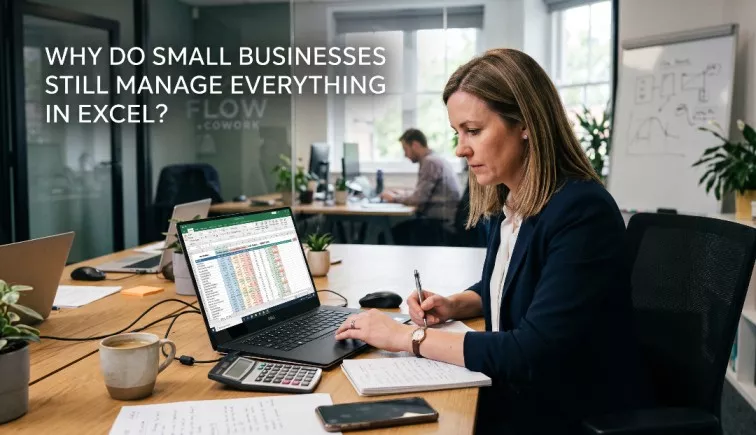
Walk into the back office of a multi-million dollar boutique retailer, a fast-growing digital agency, or a local manufacturing plant, and you will likely find the same software running the show. It isn’t a flashy, specialized enterprise platform or an expensive niche SaaS tool. It is Microsoft Excel.
Despite the explosion of the cloud software market—with thousands of dedicated platforms designed for inventory, customer relationships, and payroll—the humble spreadsheet remains the operational backbone of millions of small and medium-sized enterprises (SMEs) globally.
Technology purists often view this spreadsheet dependency as a flaw, a stubborn resistance to digital transformation. But the reality is far more nuanced. Small businesses do not use Excel because they are unaware of modern software; they use it because it offers an unmatched combination of flexibility, immediate control, and cost efficiency that rigid software packages rarely duplicate out of the box.
Understanding why this decade-old tool persists is the key to figuring out how your business can use it effectively—and recognizing the exact moment it transitions from an operational asset into a growth bottleneck.
The Short Answer
Small businesses manage operations in Excel because it provides unmatched, immediate flexibility with zero added software costs. Unlike rigid SaaS platforms that force companies to adapt to pre-built workflows, Excel allows business owners to build completely customized tracking systems for inventory, sales, and forecasting without needing a software developer or a monthly subscription.
Why Excel Became the Default Business Tool
Excel did not become the world’s most popular business application by accident. Its dominance is the result of decades of cross-industry adoption, universal availability, and a fundamentally brilliant design paradigm.
Launched in its earliest forms in the 1980s, Excel fundamentally changed business computing by turning raw data calculation into a visual, interactive canvas. Before spreadsheets, changing a single financial variable meant rewriting code or recalculating entire ledgers by hand. Excel made data dynamic.
Today, Excel is universally available. It comes pre-installed on almost every corporate device as part of the Microsoft 365 suite. This ubiquitous presence creates a powerful network effect: because everyone has it, everyone learns it.
The user interface—a simple grid of rows, columns, and cells—offers an incredibly shallow learning curve for basic data entry, yet scales in complexity to support advanced statistical modeling. It requires no server deployments, no API configurations, and no complex user permissions to get started. For a small business owner wearing five different hats, a tool that is already paid for, already installed, and thoroughly understood by the local talent pool is the path of least resistance.
10 Reasons Small Businesses Continue Using Excel
To truly understand Excel’s staying power, we have to look past the marketing pitches of modern SaaS vendors and examine the practical, boots-on-the-ground realities of running a small business.
Low Cost
For a bootstrapped startup or a lean small business, managing cash flow is a daily discipline. Excel is functionally free for organizations already paying for basic office productivity software.
Real-World Scenario: A boutique commercial cleaning company with 15 employees looks at dedicated scheduling and invoicing software. The software costs $39 per user, per month. That represents over $5,800 annually—capital the owner would rather allocate toward buying higher-grade equipment or expanding localized marketing.
Already Installed Everywhere
When a business hires a new employee, onboarding time matters. Because Excel is already standard issue on virtually every business laptop, there is zero friction when deploying it to a new team member’s workstation. There are no licensing delays, IT support tickets, or configuration bottlenecks.
No Monthly Subscription
The modern business landscape is plagued by “subscription fatigue.” Software-as-a-Service (SaaS) tools represent a recurring operational expense that can increase at the vendor’s whim. Excel presents no recurring financial surprises; it represents a fixed, predictable component of standard office utility costs.
Highly Flexible
Most modern business applications are built around rigid, opinionated frameworks. They demand that you manage your pipeline, categorize your stock, or log your client interactions exactly how their developers designed it. Excel is an open canvas. If a business owner wants to track a highly unconventional metric—like tracking outdoor temperatures alongside daily ice cream sales—they can create a column for it in two seconds flat.
Quick Reporting
Generating a custom report in a modern Enterprise Resource Planning (ERP) platform often requires navigating deep sub-menus, configuring filters, or even writing basic SQL queries. In Excel, highlighting a data set and clicking “Insert PivotTable” yields deep operational insights in less than a minute.
Easy Customization
Business processes evolve rapidly. A retail store might introduce a temporary consignment model, or a consultancy might test a hybrid value-based pricing structure. Customizing a dedicated software platform to accommodate these pivots can take weeks or require hiring expensive outside consultants. In Excel, changing a workflow is as simple as rewriting a formula or adding a new tab.
Employees Already Know It
The hidden cost of software adoption is training time. Almost every professional entering the workforce possesses at least a baseline familiarity with spreadsheets. They know how to sort a column, enter a sum, and input a row of data. This eliminates the steep, frustrating learning curves that often spark employee resistance during a digital tool rollout.
No Vendor Lock-in
When a business stores all its core operational history inside a proprietary database owned by a third-party SaaS provider, they are effectively locked into that ecosystem. If the vendor raises prices, downgrades features, or goes out of business, extracting that data can be a technical nightmare. Excel data belongs entirely to the business, saved in a portable, universally accessible .xlsx format.
Works Offline
While cloud infrastructure has come a long way, small business operations frequently happen in spots with spotty internet connectivity—construction sites, rural manufacturing floors, trade show basements, or during field service calls. Excel functions completely offline without sacrificing performance or risking data sync collisions.
Excellent for Small Teams
When a business consists of two, four, or eight people working closely together, complex communication features like task tags, activity logs, and strict access controls are often overkill. A shared spreadsheet in a small office offers a single, comprehensive window into the entire operation without unnecessary administrative friction.
How Small Businesses Actually Use Excel
Because Excel is a blank slate, small businesses use it to build makeshift, highly functional versions of almost every major category of enterprise software.
+-----------------------------------------------------------------------+
|                       THE ACCIDENTAL ENTERPRISE                       |
| How small businesses map enterprise software functions onto Excel     |
+-----------------------------------------------------------------------+
|  CRM  ======> Rows = Leads | Columns = Deal Stage & Deal Value        |
|  ERP  ======> Tabs = Inventory List + Purchase Orders + Supplier Log   |
|  HRIS ======> Grids = Shift Rotations + Accrued Paid Time Off (PTO)   |
+-----------------------------------------------------------------------+
Inventory Management
A small custom furniture workshop uses Excel to track raw lumber, hardware components, and finished pieces. One tab lists SKU numbers, descriptions, and current stock levels. A basic SUMIF formula automatically reduces available stock when an item is marked as “Sold” on the sales log tab.
Sales Tracking & CRM
Instead of deploying a platform like Salesforce or HubSpot, many business-to-business (B2B) agencies start with a spreadsheet pipeline. Each row represents a prospect; columns track the deal size, lead status (e.g., “Proposal Sent”, “Negotiation”), the last contact date, and estimated closing probability.
Accounting & Payroll
Before transitioning to dedicated bookkeeping software, countless businesses manage their general ledger directly in Excel. They log income and expenses chronologically, using simple formulas to calculate gross margins, estimate quarterly tax obligations, and track hourly employee timesheets against fixed pay rates.
Project Management & Scheduling
From construction timelines to content calendars for boutique marketing agencies, Excel functions as a visual roadmap. By shrinking columns into narrow squares and applying conditional formatting, managers build fully customized Gantt charts to track project phases, operational milestones, and team assignments.
The Hidden Costs of Managing Everything in Excel
While Excel shines in early-stage operations, it carries an invisible shelf-life. As a business expands in volume, staff size, and data complexity, the very trait that makes Excel great—its total lack of structure—begins to introduce profound operational hazards.
Human Errors & Broken Formulas
In a spreadsheet, every cell is vulnerable to accidental edits. A misplaced keystroke can overwrite a complex formula with a static value, instantly corrupting every calculation downstream.
The Cost of a Keystroke: A small mechanical contractor uses an Excel sheet to estimate project bids. An estimator accidentally deletes a cell reference in a nested
VLOOKUPformula. The sheet fails to pull in the actual material cost for specialized copper piping, causing the company to underbid a major project by $45,000—a mistake only discovered mid-construction.
Version Confusion & Duplicate Files
Without a centralized database architecture, teams often resort to emailing spreadsheets back and forth or saving multiple iterations to a local server. Within months, files emerge with confusing titles like:
Master_Inventory_2026.xlsxMaster_Inventory_2026_EDITED.xlsxMaster_Inventory_2026_FINAL_v2_JohnsUpdates.xlsx
No one knows which file holds the actual truth, leading to catastrophic errors like purchasing duplicate inventory or invoicing clients using outdated rates.
Lack of Automation & Manual Reporting
Excel requires manual upkeep. If an e-commerce brand sells an item online, someone must manually open the spreadsheet and decrement the inventory column. If a manager needs a monthly operational performance overview, they must manually pull data from three distinct sheets, clean up formatting inconsistencies, and stitch the view together. This wastes hours of high-value leadership time on low-value data administrative work.
Security and Compliance Vulnerabilities
Excel files are fundamentally insecure. If an employee downloads a company CRM spreadsheet onto a personal thumb drive or emails it to a personal account, the entire proprietary customer database leaves the building. Furthermore, spreadsheets lack an immutable audit trail. There is no automated record showing who altered a cell, when they altered it, or what the value was before the change. This creates massive headaches for businesses facing regulatory audits or financial reviews.
When Excel Starts Holding a Business Back
The transition away from Excel shouldn’t happen because a software salesman tells you it’s time; it should happen because your business is flashing clear operational warning signs.
+------------------------------------------------------------------+
|                   SPREADSHEET BREAKING POINTS                    |
+------------------------------------------------------------------+
|  [ ] Simultaneous Collisions (Staff overwriting each other)       |
|  [ ] The "Human API" (Staff spending hours copying and pasting)  |
|  [ ] Phantom Data Errors (Disappearing formulas, phantom cells)  |
|  [ ] Customer Blindspots (Sales reps calling the same lead twice)|
+------------------------------------------------------------------+
You have officially outgrown Excel when you experience any of these four breaking points:
- Simultaneous Editing Collisions: Multiple employees need to update operational data at the exact same moment. If your sales reps are locked out of their pipeline because an accountant is reviewing expenses in the same file, your growth is stalled.
- The “Human API” Bottleneck: You notice that your staff spends hours simply extracting data from one spreadsheet, reformatting it, and pasting it into another spreadsheet. If humans are serving as manual data bridges, your process is broken.
- Ghost Data and Invisible Mistakes: You start catching material errors during client calls or supplier interactions—such as double-booking a service window or discovering that an automated inventory cell has been broken for three weeks.
- Customer Experience Blindspots: Your team lacks a unified history of customer interactions. If two account managers inadvertently call the same client on the same day because notes are trapped in separate, localized tracking spreadsheets, your professional reputation is at risk.
Excel vs. Modern Business Software
To evaluate your operational infrastructure objectively, it helps to understand how spreadsheets compare across core operational vectors against modern, purpose-built SaaS platforms.
| Operational Vector | Microsoft Excel / Spreadsheets | Modern Business Software (SaaS / ERP) |
| Upfront Cost | Extremely Low (Included in basic office suites) | Moderate to High (Per-user monthly fees) |
| Implementation Speed | Instantaneous; open a sheet and start typing | Days to Months (Requires setup, configuration) |
| Workflow Flexibility | Infinite; no structural restrictions | Rigid; built around industry best practices |
| Data Accuracy & Integrity | Poor; highly vulnerable to manual entry typos | High; built-in input validation and system checks |
| Process Automation | Minimal (Requires complex VBA macro coding) | High (Native triggers, webhooks, API links) |
| Simultaneous Collaboration | Limited; prone to file locks and sync bugs | Seamless; real-time multi-user databases |
| Reporting & Analytics | Manual; requires pivot tables and manual charts | Automated; real-time dashboard visualization |
| Data Security & Controls | Weak; basic file-level password protection | Strong; granular role-based access controls |
| Audit Trail Logs | Non-existent; cannot track step-by-step edits | Complete; permanent history of every database edit |
| System Scalability | Low; struggles and slows down past 10k rows | High; scales effortlessly to millions of rows |
Should Small Businesses Replace Excel Completely?
The goal of digital transformation is not the total elimination of Excel. Replacing Excel completely is an expensive, impractical target that ignores what the tool does best.
Instead, the goal is to reposition Excel as a supporting analytical tool rather than an enterprise operating system.
+-------------------------------------------------------------------+
|                     THE RIGHT TOOL FOR THE JOB                    |
+-------------------------------------------------------------------+
|  KEEP IT IN EXCEL                  UPGRADE TO DEDICATED SOFTWARE  |
|  ----------------                  -----------------------------  |
|  • Prototyping new ideas           • Multi-user workflows         |
|  • Ad-hoc financial analysis       • Storing core business truth  |
|  • One-off calculations            • Automated consumer actions   |
+-------------------------------------------------------------------+
When Excel Remains the Superior Choice
Excel is still the undisputed king for ad-hoc financial modeling, sandbox testing, and prototyping. If you are calculating a one-off “what-if” scenario—such as evaluating how a 7% increase in raw material costs impacts your margins across three product lines—Excel is faster and cleaner than any enterprise system. It remains an exceptional tool for individual data analysis, creative business planning, and organizing non-transactional, simple lists.
When Dedicated Software is Non-Negotiable
You must migrate to dedicated software for any process that serves as a core repository of business truth or involves multi-user transaction handling.
Accounting should live in dedicated ledgers (like QuickBooks or Xero) to ensure permanent financial audit trails. Customer records should live in a structured CRM to preserve historical relationships. Inventory management for high-volume channels must live in dedicated platforms that link directly to point-of-sale systems via APIs, preventing accidental overselling.
How Businesses Successfully Transition Beyond Excel
Migrating away from a messy system of interconnected spreadsheets can feel like open-heart surgery on a running business. To pull it off without paralyzing your daily operations, follow a structured, phased migration methodology.
1.Audit the Spreadsheet Ecosystem:Phase 1.
Document every single spreadsheet currently used across your company. Identify who owns each file, how often it is updated, and what other files or processes depend on its data.
2.Isolate the Highest Friction Process:Phase 2.
Do not try to replace every sheet at once. Identify the single spreadsheet causing the most acute pain—such as an inventory sheet that is consistently out of sync or a scheduling file that causes constant billing issues.
3.Clean and Standardize Historical Data:Phase 3.
Before moving data into a new platform, scrub it thoroughly. Remove duplicate customer entries, fix broken calculations, and format fields consistently (e.g., ensuring all phone numbers use the same country-code format).
4.Run Parallel Operations During Onboarding:Phase 4.
When deploying a new software system, do not turn off your old spreadsheets on day one. Run both systems simultaneously for a minimum of one full business cycle (e.g., two weeks or one month) to verify that the new software yields identical results.
Expert Insights
“Excel isn’t an outdated software platform; it’s simply a tool misapplied as an enterprise operating system. Small businesses rarely struggle because they use Excel—they struggle because they continue relying on spreadsheets long after their operational complexity has outgrown a flat-file grid.”
True digital transformation doesn’t mean deleting Excel from your corporate devices. It means graduating your core workflows to robust, relational databases while leaving your leadership team free to use Excel for what it was genuinely built for: rapid, flexible, ad-hoc data analysis.
Frequently Asked Questions
Why do companies still use Excel when better software exists?
Companies use Excel because it offers total control and instant customization. Purpose-built platforms force a business to conform to pre-defined operational workflows. Excel allows a manager to build an entire tracking system around their existing workflow in minutes, for zero additional software licensing fees.
Is Excel enough to run a small business?
Yes, for early-stage or lean micro-businesses with small teams (typically under five employees) and straightforward transactional volumes. However, as soon as a business requires simultaneous data entry by multiple departments or complex workflow automation, Excel becomes an operational liability.
When should a business stop using Excel for inventory management?
You should stop using Excel for inventory when you begin selling across multiple physical locations or digital channels (such as an e-commerce store combined with a retail storefront). Manual updates cannot happen quickly enough to prevent stock discrepancies, leading to double-selling and fractured customer trust.
What are Excel’s biggest operational disadvantages?
The lack of an immutable audit trail, a complete vulnerability to manual data-entry errors, version control confusion, and an architectural inability to handle simultaneous multi-user database writes cleanly.
Is Excel better than dedicated accounting software?
No. Excel lacks double-entry accounting guardrails, automated banking data feeds, and unalterable transaction logs. Using Excel for advanced accounting increases your vulnerability to human calculations errors, missing expense write-offs, and painful tax compliance audits.
Can Excel replace an ERP software package?
Only in a highly simplified, fragile capacity. An Enterprise Resource Planning (ERP) platform links inventory, purchasing, manufacturing, sales, and HR into a single cohesive database engine. Excel can mimic individual components of this via separate tabs, but linking those tabs together requires brittle formulas that break under scale.
What are the compliance risks of using Excel for business?
Excel files do not comply with modern security frameworks (like GDPR, HIPAA, or PCI-DSS) out of the box. They cannot securely restrict access to specific rows of data, they lack login logging, and they can be easily duplicated and leaked outside corporate networks.
What is the best alternative to Excel for a small business?
If you love spreadsheet flexibility but need database power, look at low-code relational tools like Airtable or Smartsheet. If you have outgrown the spreadsheet paradigm entirely, transition to dedicated operational platforms like HubSpot (for CRM), QuickBooks Online (for accounting), or Monday.com (for operational project tracking).
Conclusion
Excel continues to dominate small business operations because it respects an owner’s need for agility, speed, and financial frugality. It is a world-class workspace for calculation, brainstorming, and structural prototyping.
However, sustained business growth requires scalable infrastructure. When your business reaches a point where spreadsheets are held together by complex manual processes, it is time to move your core operations to a relational database. Do not abandon Excel completely; instead, elevate it to its proper role as an analytical tool, ensuring your operational engine is built to scale.


