


Intelligent Frame Creation: The Ultimate Motion Upgrade
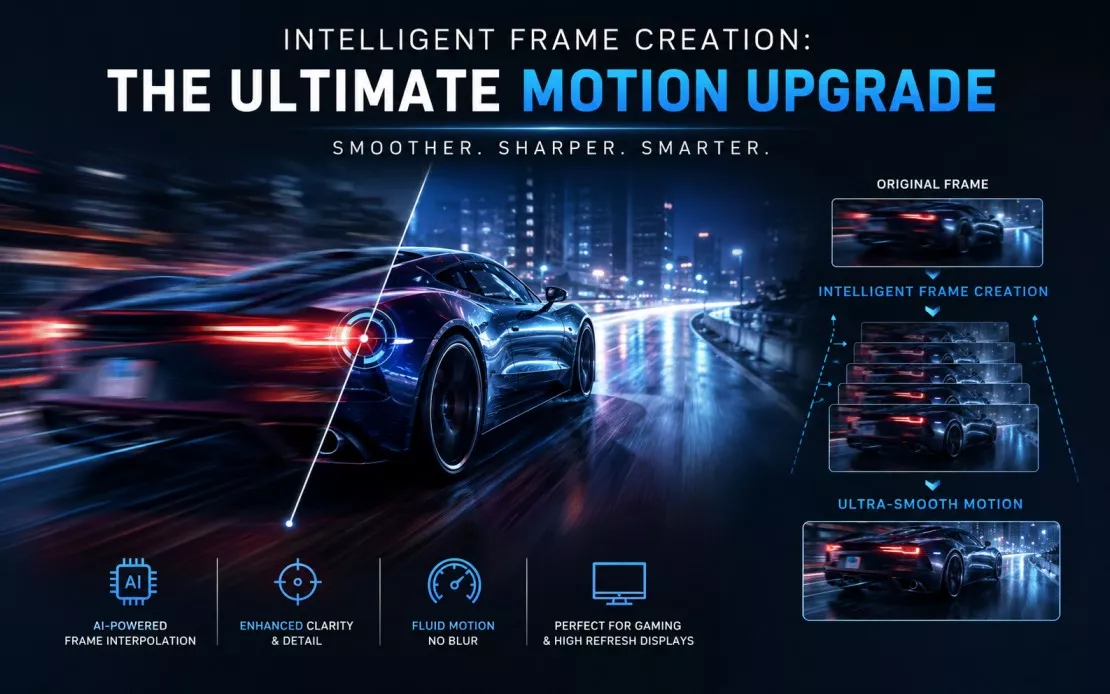
Have you ever noticed that sports on one TV look razor-sharp and fluid, while on another they appear blurry and smeared during fast plays? Or wondered why some action movies feel incredibly smooth while others turn into a stuttery mess during quick camera pans? The answer often lies in a single setting buried deep in your TV’s picture menu — one that most people never touch.
That setting is Intelligent Frame Creation (IFC), and it might be the most underrated motion upgrade available on modern televisions. When used correctly, it can transform the way fast-paced content looks on your screen. Used incorrectly, it can make a blockbuster film look like a cheap soap opera. Understanding the difference is everything.
What Is Intelligent Frame Creation?
Intelligent Frame Creation (IFC) is a motion processing technology built into modern televisions that analyzes incoming video frames and generates new intermediate frames to smooth out motion. Instead of simply displaying what the broadcast or streaming source sends, the TV actively fills in the visual gaps between existing frames.
The result is video that appears to run at a higher frame rate than the original source — making motion look noticeably smoother and more fluid.
IFC is most closely associated with Panasonic televisions, where it has been a core feature for many years across their OLED and LED ranges. However, the underlying concept appears across major TV brands under different names: Samsung calls it Auto Motion Plus, Sony uses MotionFlow, and LG offers TruMotion. The technology is functionally similar across all of them — what varies is the sophistication of the processing and the degree of user control.
It’s important to distinguish IFC from a TV’s native refresh rate. A 120Hz panel refreshes 120 times per second. IFC doesn’t change that. What it does is ensure those refreshes are filled with intelligently generated frames rather than repeated identical frames, making motion look genuinely smoother rather than just technically faster.
How Does Intelligent Frame Creation Work?
At its core, IFC relies on motion interpolation — a process where the TV’s onboard processor examines two consecutive frames, identifies how objects have moved between them, and calculates what a frame between those two would look like.
Here’s a simplified breakdown of the process:
- Frame analysis: The processor scans the incoming video, identifying moving objects, their direction, and their velocity.
- Motion vector calculation: It maps out where each element in the frame is heading.
- Intermediate frame generation: Using that motion data, it constructs a brand-new frame that would logically sit between the two real ones.
- Insertion: That synthetic frame is inserted into the playback sequence, effectively doubling or quadrupling the apparent frame rate.
Consider a live football match broadcast at 30 frames per second. Without IFC, the TV repeats or holds frames to fill its 120Hz refresh cycle. With IFC active, the processor generates 90 additional frames per second by predicting player movement, ball trajectory, and crowd motion — resulting in video that flows at what feels like 120fps even though the source is only 30fps.
The same logic applies to action movies, live concerts, motorsport, and anything else where fast movement is central to the experience.
Why TV Manufacturers Use Intelligent Frame Creation
Motion has always been one of the most visible weaknesses of flat-panel televisions. Early LCD screens struggled enormously with fast movement — pixels couldn’t switch states quickly enough, leaving trails of blur behind moving objects.
Manufacturers pursued several solutions: faster panels, backlight strobing, and eventually motion interpolation. IFC emerged as one of the most effective software-side tools because it addresses motion blur before it becomes a display problem. Rather than forcing the panel to work harder, the processor creates frames that reduce the perceptual distance between each image update.
The real-world payoff is significant:
- Sports broadcasts become dramatically easier to follow, particularly during fast plays, ball tracking, and crowd pans.
- Live events feel more present and immediate, with less of the stuttery judder that makes 24fps and 30fps content look unnatural on modern high-refresh screens.
- Action-heavy films retain scene detail during explosions, fight sequences, and chase scenes that would otherwise dissolve into blur.
For manufacturers, IFC is also a compelling differentiator. A TV that makes sport look fantastic is a TV that earns repeat customers.
The Benefits of Intelligent Frame Creation
Smoother Sports Viewing
This is where IFC genuinely earns its place. Live sport is broadcast between 25fps and 60fps depending on region and broadcaster. IFC bridges that gap to your panel’s full refresh rate, making ball tracking, player movement, and on-field detail sharper and easier to follow.
Reduced Motion Blur
Traditional LCD panels blur fast-moving objects as pixels transition between states. IFC reduces the perceptual blur by presenting the eye with more reference frames per second — your brain fills in far less, so detail is retained.
Better Camera Pans
Slow horizontal pans across a landscape or stadium are particularly susceptible to judder on lower frame-rate content. IFC smooths these out considerably, making documentary footage and broadcast television much easier to watch.
Improved Live TV Experience
News programmes, chat shows, and reality TV are captured at relatively low frame rates. IFC brings these up to a level that feels natural on a modern display, removing the slightly jerky look that lower-refresh content can have.
Enhanced Fast-Paced Content
Action sequences in blockbusters, motorsport highlights, and wildlife documentaries all benefit from IFC making motion feel more intentional and precise rather than chaotic and smeared.
The Drawbacks of Intelligent Frame Creation
IFC is not without its problems, and being honest about them matters.
The Soap Opera Effect
This is the most discussed criticism of all motion interpolation. When IFC is applied at high levels to cinema content — films shot at 24fps — the result is video that resembles cheap daytime television. The reason is psychological: our brains associate 24fps with cinematic quality, and artificially smoothing that out strips the footage of the visual texture that signals “this is a movie.” Suddenly, a £200 million film looks like it was shot on a handheld camera in someone’s kitchen.
Artificial-Looking Motion
Even outside cinema content, aggressive IFC settings can make motion look hyper-real and somewhat unsettling — like watching a stage play through a glass window rather than a film. Some users find this deeply distracting regardless of what they’re watching.
Potential Input Lag
The processing required to generate and insert new frames takes time — typically between 30ms and 100ms depending on implementation. For everyday viewing, this is imperceptible. For competitive gaming, it can be the difference between winning and losing. Most modern TVs disable motion processing automatically in Game Mode, but it’s worth verifying.
Film Purists May Dislike It
Directors, cinematographers, and serious film enthusiasts often strongly oppose IFC for narrative cinema. The 24fps look is an intentional aesthetic choice, not a technical limitation to be corrected.
Intelligent Frame Creation vs Traditional Motion Smoothing
| Feature | Intelligent Frame Creation | Traditional Motion Smoothing |
|---|---|---|
| Technology approach | Generates new frames using motion vectors | Repeats frames or applies backlight strobing |
| Motion clarity | High — genuine new data per frame | Moderate — reduces blur without adding detail |
| Film accuracy | Lower at high settings (SOE risk) | Varies — some modes preserve film look |
| Sports performance | Excellent | Good |
| Gaming suitability | Disable for competitive play | Generally disabled in Game Mode |
| User customisation | Multiple levels, often with custom modes | Usually binary on/off |
The key distinction is that IFC actively creates content, while traditional smoothing only manages existing frames. That makes IFC more powerful — and more dangerous to misuse.
Best Intelligent Frame Creation Settings for Different Content
Movies
Recommended: Off or Minimum Preserve the cinematic 24fps aesthetic. High IFC settings will trigger the soap opera effect and undermine the director’s visual intent.
Sports
Recommended: High or Maximum This is where IFC performs best with fewest downsides. The smooth, fluid motion makes gameplay dramatically easier to follow with no appreciable visual downside.
Gaming
Recommended: Off (use Game Mode) Disable IFC entirely when gaming. The processing delay introduces lag that affects gameplay responsiveness. Modern TV Game Modes typically handle this automatically.
Streaming Content
Recommended: Low to Medium Streaming services compress video significantly, which can make motion artefacts more visible. A low IFC setting helps without introducing obvious interpolation.
Live Television
Recommended: Medium News, sport highlights, and live events benefit from a medium setting that smooths out broadcast judder without making content look artificial.
Should Gamers Use Intelligent Frame Creation?
For most gamers, the straightforward answer is no — at least not during gameplay.
The processing pipeline that IFC requires introduces input lag — the delay between a controller input and its visual result on screen. Even 30–50ms of added lag is meaningful in fast-paced games. In competitive multiplayer titles, it’s genuinely impactful.
Modern televisions address this with dedicated Game Mode or VRR (Variable Refresh Rate) settings that bypass motion processing entirely. Sony, LG, Samsung, and Panasonic all include automatic detection features that switch to low-latency modes when a console or PC is connected.
For casual gamers playing slower-paced RPGs, strategy games, or narrative adventures, low IFC settings are unlikely to cause problems and may even make cutscenes look better. But the safest default is always Game Mode with IFC off.
If your TV supports HDMI 2.1 with VRR and Auto Low Latency Mode (ALLM), your console or PC will negotiate a low-latency mode automatically — no manual configuration required.
How to Enable Intelligent Frame Creation on Your TV
The exact menu path varies by brand and model, but the general process looks like this:
- Press the Home or Menu button on your remote control.
- Navigate to Settings, then select Picture or Picture Settings.
- Look for a Motion or Advanced Settings submenu. This is where motion processing controls are typically found.
- Find Intelligent Frame Creation (or the equivalent: Auto Motion Plus, MotionFlow, TruMotion).
- Select your preferred level: Off, Minimum, Standard, High, or Custom depending on what your TV offers.
- Test with actual content — switch between sports, movies, and live TV to assess the visual difference at each setting.
- Adjust accordingly. Most users end up with different profiles saved under different input sources.
On Panasonic TVs specifically, IFC is typically found under Picture > Advanced Settings > Motion, and includes a Custom mode that lets you separately control blur reduction and judder reduction — giving you significantly finer control than most competitors offer.
Is Intelligent Frame Creation Worth Using?
That depends entirely on what you’re watching.
Enable IFC if you:
- Watch a lot of live sport and want the clearest possible action footage
- Find standard broadcast television looks jerky or stuttery on your TV
- Regularly watch fast-paced content like motorsport, action films (not cinema), or live events
- Don’t mind a slightly processed look in exchange for sharper motion
Disable IFC if you:
- Watch a lot of cinema — particularly arthouse, prestige drama, or classic films
- Are playing video games competitively or care about input responsiveness
- Find the smoothed-out look unsettling or artificial
- Prefer to experience content as the creator intended
Common mistakes users make:
- Leaving IFC on maximum for all content (leads to SOE on movies)
- Forgetting to disable it before gaming (causes lag)
- Never adjusting it from the factory default (which is often set too high)
- Assuming it’s always either on or off — most TVs offer granular settings worth exploring
Frequently Asked Questions
Does Intelligent Frame Creation improve picture quality?
IFC improves motion clarity specifically, but doesn’t enhance resolution, colour, or contrast. For fast-paced content, it makes a significant difference. For static scenes, it has no effect.
Is Intelligent Frame Creation good for sports?
Yes — sports is the ideal use case for IFC. The technology was practically designed for broadcast sport, where fast movement, ball tracking, and rapid camera cuts are constant.
Can IFC cause the soap opera effect?
Yes. High IFC settings applied to 24fps cinematic content are the primary cause of the soap opera effect — where films look like they were recorded on low-budget video equipment.
Does Intelligent Frame Creation increase input lag?
It can. Most processing modes add 30–100ms of lag. Always use your TV’s dedicated Game Mode when gaming, which typically disables motion processing and minimises input lag automatically.
Should IFC be turned on for movies?
For most movies, particularly cinematic releases, it’s best left off or set to minimum. The interpolated smoothness removes the natural film aesthetic that directors intend.
Which TVs include Intelligent Frame Creation?
Panasonic uses the IFC name specifically. Equivalent technology is found across LG (TruMotion), Samsung (Auto Motion Plus), Sony (MotionFlow), and most other major manufacturers under various names.
Can I customise IFC settings?
Many TVs — particularly Panasonic — offer a Custom mode that separates blur reduction and judder reduction into individual controls, giving you far more precise results than simple on/off toggles.
Is IFC the same as a high refresh rate?
No. Refresh rate is a hardware specification describing how many times per second your panel updates. IFC is a software process that fills those refreshes with generated frames. A 60Hz panel with IFC still refreshes 60 times per second — but those refreshes contain interpolated content.
Conclusion
Intelligent Frame Creation is a genuinely powerful technology that does exactly what it promises — it makes motion look smoother, sharper, and more fluid. But it’s a tool, not a universal fix, and like any tool, it works best when applied thoughtfully.
Intelligent Frame Creation works best for sports, live TV, and fast-action content, where smoother motion and reduced blur make a noticeable difference. For movies, it’s usually best turned off to maintain a cinematic look. Gamers should disable IFC and use Game Mode for the most responsive performance.
The decisive takeaway: explore the settings, test them with the content you actually watch, and don’t accept the factory default as the final word. A few minutes of adjustment can meaningfully change your daily viewing experience — and that’s what Intelligent Frame Creation, at its best, is designed to deliver.


