


What Android App Tracks and Limits Your Screen Time Best?
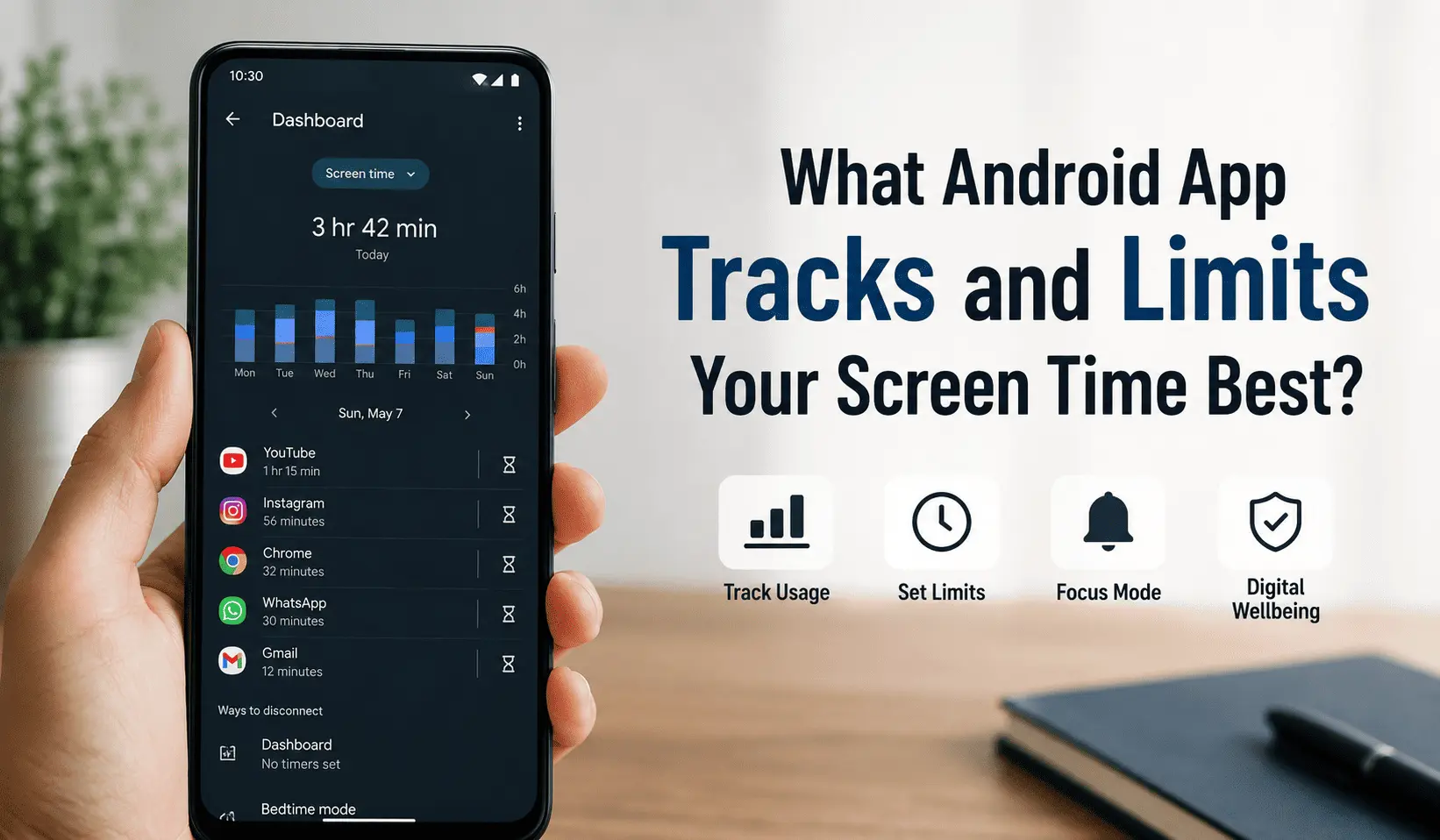
For most Android users, StayFree offers the best mix of accurate tracking, flexible blocking, and zero cost. If you need the strictest possible enforcement, AppBlock‘s Strict Mode is nearly impossible to bypass. And if you’d rather test the waters first, Google’s built-in Digital Wellbeing already covers the basics for free. Your ideal choice, though, still depends on whether you want awareness, willpower support, or a hard lock.
Phones now demand more of our attention than ever, and Android users have more ways than ever to fight back. The global average smartphone user spends roughly 4 hours and 37 minutes on their device every day. That’s according to DataReportal’s 2026 Digital Report. Multiply that out, and it adds up to more than 32 hours a week — close to a second part-time job.
So it’s no surprise that screen time apps have become genuinely popular. Some simply track your habits. Others block distracting apps outright. Many do both at once.
This guide compares the best Android apps for tracking and limiting screen time in 2026. Read on, and you’ll find the right fit for how you actually use your phone.
Why Screen Time Apps Matter More in 2026
Short-form video changed the rules. TikTok, Reels, and Shorts all run on infinite scroll, with no natural stopping point. As a result, “just five minutes” often turns into an hour without you noticing.
Screen time isn’t only a productivity issue, either. Research consistently links heavy nighttime phone use to poor sleep. Several studies also connect excessive scrolling with higher anxiety levels.
Because of this, more people now treat screen time apps as a basic wellness tool, not a novelty. Think of it more like a step counter than a gimmick.
Still, awareness alone rarely changes behavior on its own. That’s exactly why the strongest apps below pair simple tracking with real friction: limits, blocks, or built-in delays that interrupt the habit loop.
How We Compared These Apps
Not every app suits every person, so we judged each option against five criteria that matter most on Android specifically:
- Tracking accuracy — Does it read real usage data, or estimate it?
- Blocking strength — Can you bypass it in three seconds, or does it hold firm?
- Battery impact — Does constant monitoring drain your phone?
- Privacy — Where does your usage data actually go?
- Price — What’s free, and what needs a subscription?
We pulled this information from official app listings, developer sites, and aggregated Google Play review data. Pricing shifts quickly in this category, though, so double-check the current listing before you commit to anything paid.
Best Android Screen Time Apps at a Glance
| App | Best For | Price | Standout Feature |
|---|---|---|---|
| Google Digital Wellbeing | Free built-in basics | Free | Already installed, no setup |
| StayFree | All-around tracking + blocking | Free, plus optional in-app purchases | Syncs across phone, desktop, and browser |
| AppBlock | Unbreakable strict blocking | Free tier; premium from ~$4.99/month | Strict Mode with cooldown timers |
| ActionDash | Deep usage analytics | Free, plus a low-cost premium unlock | Session-length and notification breakdowns |
| Opal | Gamified motivation | Free tier; paid plans from ~$20/year | Deep Focus mode plus streaks |
| One Sec | Mindful friction over hard blocks | Free tier; $19/year for full access | A breathing pause before distracting apps open |
| Freedom | Blocking phone, laptop, and tablet together | Free trial, then paid plans | One session locks every device at once |
Now, let’s break down each option in more detail.
The 7 Best Android Apps to Track and Limit Screen Time

1. Google Digital Wellbeing — Best Free, Built-In Option
Digital Wellbeing already lives on most Android phones, so you won’t need to download anything extra. Open it, and you’ll see a daily dashboard. It covers your screen time, how often you unlock your phone, and how many notifications you get.
From there, you can set App Timers for individual apps. Hit your limit, and the app pauses for the rest of the day. Focus Mode goes further and pauses a whole group of distracting apps at once, either manually or on a schedule. Meanwhile, Bedtime Mode fades your screen to grayscale and mutes notifications at night, which helps you wind down before sleep.
Because Digital Wellbeing comes built into Android, it costs nothing and needs no extra permissions. However, plenty of users report that Focus Mode and Bedtime Mode don’t always trigger on schedule. There’s also no cross-device sync, and nothing stops you from just switching your own limits off.
Good for: Anyone who wants a free starting point without installing a third-party app.
2. StayFree — Best All-Around Tracker and Blocker
StayFree holds a 4.6-star average from more than 250,000 Google Play reviews. That puts it among the highest-rated apps in this entire category. The app has earned that reputation by covering both tracking and blocking without asking much in return.
You get four ways to limit an app: block it instantly, schedule recurring blocks, cap daily usage, or limit individual sessions. StayFree also offers a clever in-app blocking feature. It hides only the addictive parts of an app, like Instagram Reels, instead of blocking the whole platform. That’s a useful middle ground if you still need an app for messaging but want to cut the endless-scroll parts out.
Beyond that, StayFree syncs across Windows, Mac, Linux, Wear OS, and browser extensions for Chrome, Firefox, and Safari. So your limits follow you from your phone to your laptop. According to its developers, the app also runs with no measurable battery impact and stays completely ad-free.
Good for: Users who want one app that tracks everything and blocks effectively, without paying for premium tools.
3. AppBlock — Best for Strict, Unbreakable Blocking
If willpower hasn’t worked for you before, AppBlock’s Strict Mode deserves a look. Once you activate it, you genuinely cannot turn it off early — there’s no “just five more minutes” button hiding anywhere.
Strict Mode layers on several types of protection. Cooldown forces a two-to-ten-minute wait before you can disable a block, which gives the impulse time to pass. Approval mode goes even further: it requires a friend, partner, or coworker to approve any early exit by email. AppBlock can also block Settings access, prevent its own uninstallation, and stop common workarounds like split-screen or floating windows.
AppBlock offers a free tier, and premium plans start at roughly $4.99 a month for unlimited schedules and profiles. Beyond apps, it can also restrict specific websites, adult content, and even individual keywords.
Good for: People who know they’ll bypass anything short of a genuinely locked door.
4. ActionDash — Best for Detailed Usage Analytics
Digital Wellbeing gives you the basics, but ActionDash digs much deeper. It breaks down how long each individual session lasted. You’ll also see how your usage compares to a global average, plus how many notifications interrupted your day.
Data-focused users tend to appreciate one particular detail. ActionDash lets you exclude apps that inflate your stats without actually distracting you — think Maps, Audible, or your clock widget. That gives you a cleaner, more honest picture of where your time really goes.
ActionDash also includes Focus Mode and app usage limits, similar to StayFree. That’s no coincidence — both apps now come from the same developer, Sensor Tower. The core app is free, and a low-cost premium unlock adds extended history plus removes ads. It’s worth noting that some recent reviews mention occasional slowdowns, so performance can vary by device.
Good for: Anyone who wants to understand their habits in detail before trying to change them.
5. Opal — Best for Gamified Motivation
Opal built its reputation on iPhone first, but it’s now available on Android too, with active updates as recently as this month. That said, the Android version is still catching up to full feature parity with iOS, so expect a few rough edges for now.
What sets Opal apart is how it feels to use. Every Focus Session you complete builds a streak. Stay consistent, and your Opal Score climbs too, blending signals from your focus, sleep, and rest into one number. For users who respond better to gamified rewards than plain statistics, that framing can genuinely help.
Opal’s headline feature, Deep Focus mode, locks a session so you can’t stop it early. That said, it sits behind the paid tier, which starts at roughly $20 a year. On the upside, Opal processes everything locally, so your usage data never leaves your phone.
Good for: Users who stick with habits better when there’s a visible reward for consistency.
6. One Sec — Best for Mindful Friction Over Hard Blocks
One Sec skips blocking altogether. Instead, it adds a short breathing exercise or waiting screen right before a distracting app opens. You can still get in — you just have to sit through a few seconds of friction first.
That small pause matters more than it sounds like it should. Many users find that moment of forced awareness is enough to break the automatic reach-for-your-phone habit. The app never technically stops you — it just makes you pause.
One Sec also tracks a genuinely useful metric. It counts how many times you opened an app versus how many times you talked yourself out of it. Watching that ratio improve over time can be motivating on its own.
One Sec works on both iOS and Android, and its free tier limits how many apps you can configure. Full access runs about $19 a year. Just keep in mind that this approach only works if you’re honest with yourself, since nothing physically prevents you from continuing.
Good for: People who want to build awareness rather than fight their phone with a hard lock.
7. Freedom — Best for Blocking Phone, Laptop, and Tablet Together
Freedom has existed since 2011, making it one of the oldest apps on this list. That longevity shows in how complete its feature set feels, even though the interface looks a little dated next to newer competitors.
Its biggest advantage is genuine cross-device sync. Start a Focus Session on your Android phone, and it activates on your laptop and tablet too. That matters if your phone isn’t your only distraction — plenty of people lose just as much time on a work laptop.
Freedom can also block specific websites and entire categories, like social media or news, which most Android-only apps can’t touch. Locked Mode stops you from ending a session early, and custom blocklists let you fine-tune exactly what’s off-limits. Freedom offers a limited free trial, and after that, you’ll need a paid plan to keep using it across every device.
Good for: Anyone whose distraction problem spans a phone, a laptop, and a tablet, not just one device.
Other Android Screen Time Apps Worth a Quick Look
A few more options didn’t quite make the top seven, but they’re still worth knowing about:
- Stay Focused — Its Strict Mode locks settings completely until the timer runs out, with no override at all.
- ScreenZen — A free, cross-platform app that adds friction similar to One Sec, minus any paid tier.
- Forest — Turns focus sessions into a game where leaving the app kills a virtual tree, which suits visual learners well.
How to Choose the Right Screen Time App for Your Needs
With this many options, the right choice comes down to your specific problem, not just star ratings. Here’s a quick way to match your situation to an app.
If you just want to see the numbers first, start with Digital Wellbeing or ActionDash. Both give you a clear baseline before you commit to anything stricter.
If you’ve tried and failed to cut back before, AppBlock or Stay Focused can help. Both offer hard enforcement that removes willpower from the equation.
If you respond better to encouragement than restriction, Opal or Forest are worth trying. Both turn the process into a game, which tends to keep motivation up longer.
If your distraction isn’t just your phone, Freedom is the only option here that locks your laptop and tablet at the same time.
If you want something between plain tracking and full blocking, try StayFree or One Sec. Both offer real limits without feeling like a punishment.
Tips to Make Any Screen Time App Actually Work
Installing an app is easy. Sticking with it is the hard part. So keep these tips in mind, no matter which app you pick.
Start with two or three apps instead of blocking everything at once. Otherwise, the restrictions feel overwhelming, and you’re more likely to abandon the whole system within a week.
Save Strict Mode or Locked Mode for once you’ve built some momentum. Jumping straight to the hardest setting can backfire if you haven’t practiced the habit yet.
Check your weekly report, not just your daily one. Daily numbers bounce around a lot, but a weekly trend actually shows whether you’re making progress.
Finally, pair your limits with an alternative activity. Blocking Instagram without planning what to do instead usually just shifts the scrolling somewhere else.
Frequently Asked Questions
Which Android app tracks screen time most accurately?
Apps that use Android’s Accessibility Services or system-level usage APIs tend to be most accurate. StayFree, ActionDash, and Google’s own Digital Wellbeing all read usage data directly from the operating system instead of estimating it.
Is Google Digital Wellbeing enough, or do I need a third-party app?
For basic awareness, Digital Wellbeing genuinely covers most people, and it costs nothing. However, a third-party app adds real value if you need stricter enforcement, deeper analytics, or cross-device sync. StayFree or AppBlock are good places to start.
Can teens or kids bypass these screen time apps?
Anyone with access to the phone’s settings can switch off standard consumer apps like StayFree or Digital Wellbeing. For genuine parental control, look at apps built specifically for that job, such as Google Family Link. It enforces limits remotely from a separate parent account.
Do screen time apps drain your battery?
Most well-built apps in this category run efficiently in the background, since they mainly read usage data instead of running constant processes. Even so, performance can vary by device and Android version, so check your battery settings if you notice a change.
What’s the difference between a screen time tracker and an app blocker?
A tracker, like ActionDash, mainly shows you data about your habits without stopping you from using anything. An app blocker, like AppBlock or Freedom, actively restricts access once you hit a limit or a scheduled block begins. Plenty of apps, including StayFree, now combine both functions in one package.
The Bottom Line
There’s no single best Android screen time app for everyone, since the right pick depends on what’s actually driving your phone habit. Even so, a few clear patterns stand out from this comparison.
For the most balanced option, StayFree combines accurate tracking with flexible blocking at no cost. If your willpower needs real backup, AppBlock’s Strict Mode delivers the strongest enforcement on this list. And if you’d rather try something first, Digital Wellbeing is already sitting in your Settings app — free and ready to go.
Ultimately, the best app is the one you’re still using a month from now. So start with whichever option matches your current habits, then adjust once you’ve learned what actually works for you.