


What Is FedEx Trip Buddy? A Complete Driver App Guide
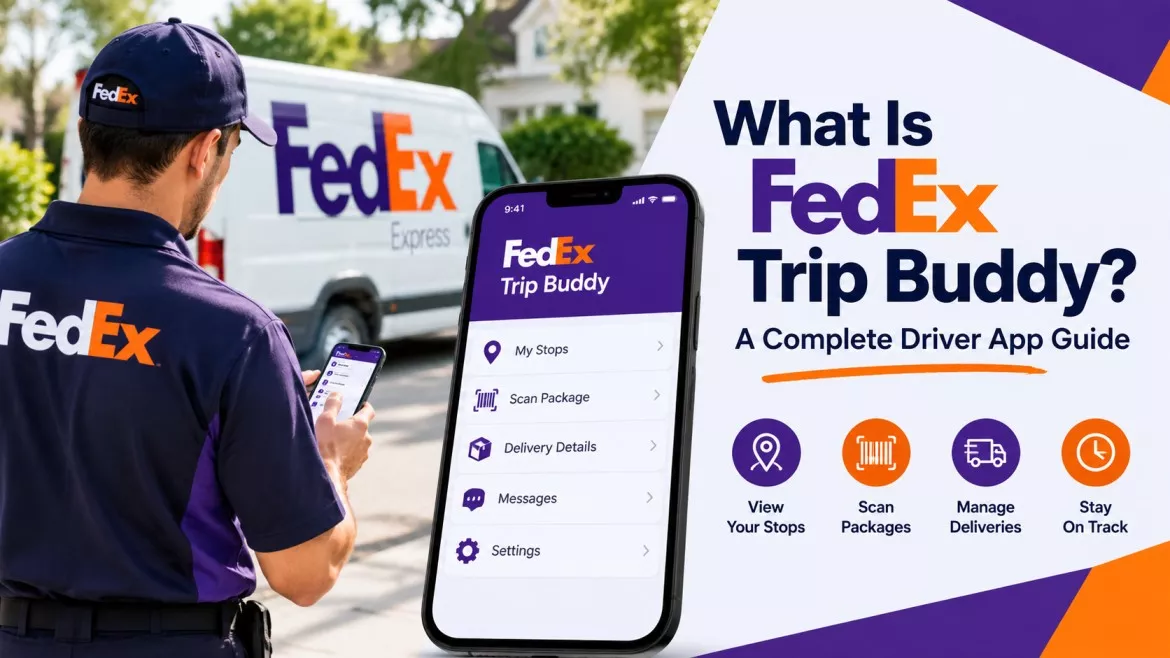
FedEx Trip Buddy is the nickname drivers use for the Mobile Trip App, or MTA. FedEx Ground built this web-based tool for its Linehaul network, so it handles check-in, dispatch, and trailer tracking for drivers hauling freight between hubs. It replaced an older system, Vector, and it now runs as a mobile-friendly website instead of an app-store download.
This guide breaks down exactly what FedEx Trip Buddy does, how to log in, and how to fix the problems drivers hit most often.
Key Takeaways
- FedEx Trip Buddy and the Mobile Trip App (MTA) refer to the same tool.
- Linehaul drivers and contracted service providers use it, not residential delivery drivers.
- The app handles check-in, dispatch, trailer tracking, and seal validation.
- You won’t find it on the App Store or Google Play, since it runs as a mobile website.
- Drivers log in with their Purple ID, the same credential that unlocks MyGroundBizAccount.
What Is FedEx Trip Buddy, Exactly?
FedEx Trip Buddy isn’t a separate product on its own. Instead, it’s the everyday nickname drivers gave to the Mobile Trip App, which FedEx Ground built for its Linehaul division.
Linehaul refers to the long-distance trailer runs between FedEx Ground hubs and stations. So Trip Buddy has nothing to do with residential or business package delivery. Instead, it manages the freight moves that happen behind the scenes, long before any package reaches your porch.
The Nickname Behind the Official Name
Drivers started calling it “Trip Buddy” because the app walks them through each trip step by step, almost like a co-pilot riding shotgun. Meanwhile, FedEx’s own systems and paperwork refer to it as the Mobile Trip App. Both names point to the same tool, so you can use either term and mean the same thing.
Who Actually Uses FedEx Trip Buddy
FedEx Trip Buddy serves a specific, fairly narrow group of users:
- FedEx Ground Linehaul staff working at hubs and stations
- Linehaul service providers — FedEx calls them Transportation Service Providers, or TSPs — who hold contracts with FedEx Ground
- Purchased Transportation carriers in certain regions
- FedEx Freight drivers in select pilot markets, including Houston
Because access ties directly to a contractor relationship with FedEx Ground, everyday customers can’t download or use this tool. Likewise, most residential and business delivery drivers won’t need it either, since FedEx Ground built it specifically for hub-to-hub freight moves.
Why FedEx Ground Built It
Before MTA, Linehaul drivers relied on an older system, Vector, plus phone calls to the dispatch office for every check-in. As a result, a routine check-in could mean waiting in line or sitting on hold for several minutes.
FedEx Ground introduced MTA to create a contactless check-in and dispatch process instead. Consequently, drivers now complete most steps from their own phone or tablet, without waiting for a dispatcher to answer.
How Does FedEx Trip Buddy Work? A Step-by-Step Walkthrough
Once a driver receives a load assignment, Trip Buddy guides them through the trip from start to finish. Here’s how that process typically unfolds.
Step 1: Check In at the Hub
First, the driver arrives at the FedEx Ground facility and opens Trip Buddy, either through a QR code near the Linehaul office or through a direct login. Then, they enter their trip and trailer details to start the check-in.
Step 2: Hook Up and Verify
Next, the driver hooks up to their trailer. After that, they confirm details like the trailer number, seal, and dolly status right inside the app.
Step 3: Self-Dispatch
Once everything checks out, the driver dispatches themselves instead of waiting for a phone call from the dispatch office. As a result, drivers often name self-dispatch as the single biggest time-saver Trip Buddy offers.
Step 4: Arrival
Finally, when the driver reaches the destination hub, they reopen the app and select “Arrive.” This step closes out the trip and updates FedEx Ground’s systems right away.
Key Features of the FedEx Trip Buddy App
FedEx Trip Buddy bundles several tools into one simple interface. Below are the core features drivers rely on most.
Contactless Check-In and Check-Out
Drivers no longer need face-to-face check-ins at every stop. Instead, they complete the whole process from their own device, from arrival straight through to departure.
Trailer Location and Load Tracking
The app tracks trailer numbers and load status in real time. Therefore, dispatch teams and drivers always work from the same information.
Seal and Dolly Validation
Seals prove that no one has tampered with a trailer’s freight, so Trip Buddy includes a dedicated step for verifying and logging seal numbers. Similarly, it handles dolly validation to confirm equipment is ready to roll.
Inspection and Issue Reporting
Drivers can log inspection results directly inside the app. This way, the app flags and tracks safety issues without any extra paperwork.
On top of that, drivers can report a specific problem the moment it happens. Typical categories include Check In, Check Out, Arrival, Trailer Location, Dolly Validation, Seal Validation, Inspection, and Other. Consequently, the Linehaul office often spots the issue before the driver even picks up the phone.
How to Log Into FedEx Trip Buddy
Logging in only takes a minute once you know where to look.
Finding the App
Trip Buddy runs as a mobile-friendly website, not a downloadable app. So, you won’t find it in the Apple App Store or Google Play. Instead, most drivers reach it by scanning a QR code near the Linehaul office at their hub or station.
Your Login Credentials
Drivers sign in with their Purple ID, the same credential that unlocks MyGroundBizAccount (MGBA). Therefore, if you already have MGBA access, you already have everything you need for Trip Buddy too.
Resetting a Forgotten Password
Locked out? Follow these three steps:
- Call 1-855-NEW-PSWD (1-855-639-7793) to request a temporary password.
- Go to mybizaccount.fedex.com and reset your password using the temporary one.
- Enter your seven-digit FedEx ID from your badge, along with your new password.
Afterward, you should regain full access within minutes.
FedEx Trip Buddy vs. FedEx Mobile: Don’t Mix Them Up
Plenty of confusion floats around online about what Trip Buddy actually is. So, it helps to draw a clear line between the two tools.
| Category | FedEx Trip Buddy (Mobile Trip App) | FedEx Mobile |
|---|---|---|
| Who uses it | Linehaul staff and contracted service providers | The general public and customers |
| Main purpose | Check-in, dispatch, and trailer tracking | Package tracking and shipping |
| Available on app stores | No — mobile website only | Yes, on iOS and Android |
| Login method | Purple ID / MyGroundBizAccount | FedEx.com customer account |
In other words, if you’re a customer trying to track a package, Trip Buddy isn’t the tool you need. Use the FedEx Mobile app or FedEx.com instead. But if you’re a Linehaul driver moving trailers between hubs, Trip Buddy is the tool FedEx Ground built specifically for your job.
Common FedEx Trip Buddy Problems and How to Fix Them
Like any web-based tool, Trip Buddy occasionally runs into hiccups. Below are the most common issues drivers report, along with practical fixes.
The App Won’t Load or Shows a Blank Screen
This usually happens right after an update. So, clear your browser’s cache first, since FedEx specifically recommends this step following major MTA updates. If that doesn’t help, sign out completely, then sign back in.
Login Keeps Failing
First, double-check that you’re entering your current Purple ID password correctly. If the login still fails, request a temporary password through the 1-855-NEW-PSWD line, then reset it through MyGroundBizAccount.
The App Freezes Mid-Trip
Try restarting your device first. If the freeze continues, switch between Wi-Fi and mobile data, since a weak connection often triggers this problem.
Trailer or Seal Information Won’t Save
Before you resubmit anything, confirm your device has a stable connection. Otherwise, your entries may fail to sync with FedEx Ground’s backend systems.
Tips to Get the Most Out of FedEx Trip Buddy
- Keep your device’s browser current, since outdated versions cause more glitches overall.
- Clear your cache right after FedEx announces a new MTA update.
- Save the password reset number in your phone, so you’re never stuck searching for it mid-shift.
- Bookmark your hub’s QR code login page if possible, which saves time on repeat check-ins.
- Ask your terminal manager for the latest Mobile Trip App User Guide, since FedEx updates it as features change.
Frequently Asked Questions About FedEx Trip Buddy
Is FedEx Trip Buddy available on the App Store? No. FedEx officially calls it the Mobile Trip App, and it runs as a mobile-friendly website instead. You access it through a browser, not through a download.
Who can use FedEx Trip Buddy? Only FedEx Ground Linehaul staff and Linehaul service providers under contract with the company can use it. Regular customers and most delivery drivers don’t need it.
What login do I use for FedEx Trip Buddy? You log in with your Purple ID, the same credential you already use for MyGroundBizAccount.
Does FedEx Trip Buddy work on both iPhone and Android? Yes. Since it runs through a mobile browser rather than a native app, it works on nearly any modern smartphone or tablet.
What replaced Vector at FedEx Ground? The Mobile Trip App, or Trip Buddy, replaced Vector as the main check-in and dispatch system for Linehaul.
Can I use FedEx Trip Buddy without a Purple ID? No. FedEx Ground requires a valid Purple ID for every login, since it ties directly to your contractor or employee record.
What should I do if FedEx Trip Buddy won’t load? Clear your browser cache first. If that doesn’t fix the problem, sign out, sign back in, or restart your device entirely.
Final Thoughts
FedEx Ground’s Mobile Trip App, the tool most drivers simply call Trip Buddy, keeps the Linehaul network running smoothly. It replaces old-school phone calls and paperwork with a fast, contactless check-in and dispatch process. As a result, drivers spend less time waiting around and more time on the road.
Whether you’re brand new to Linehaul or you’re just switching over from Vector, understanding how Trip Buddy works will make your very next shift noticeably smoother.


